More Guides

Explore a curated collection of expert guides, tutorials, and how-to resources at Digiwirex. Find easy-to-follow, up-to-date content to help you learn, implement, and master digital skills and tools.

new test

Free QR Code Generator Create custom QR codes instantly — free, fast, and easy to download. 100% Free Forever Client-Side Privacy SVG, PNG, JPG & PDF No Account Required History (0) Reset Basic URL / Website Text Contact & Communication Phone Email SMS WhatsApp vCard Contact Wi-Fi Wi-Fi Network Social & Business Instagram Facebook YouTube LinkedIn Google Maps Other UPI Payment Calendar Event Custom QR Data 1. Enter Website URL Website URL * Enter your website URL. ‘https://’ will be added automatically if omitted. Please enter a valid website URL. Campaign Name / UTM Tag (Optional) Automatically appends ?utm_campaign= to track scan sources in Google Analytics. Text / Message * Plain text is displayed instantly upon scanning on any smartphone. Please enter some text. Phone Number * Include country code for international scanning (e.g. +1, +44, +91). Please enter a valid phone number. Email Address * Please enter a valid email address. Subject (Optional) Message Body (Optional) Recipient Phone Number * Please enter a valid phone number. Pre-filled Message WhatsApp Number (with Country Code) * Enter digits only with country code (e.g. 1 for US, 44 for UK, 91 for India). Please enter a valid WhatsApp number with country code. Pre-filled Message First Name * First name is required. Last Name Company / Organization Job Title Phone Number Email Website Street Address City State / Province Postal / ZIP Code Country Network Name (SSID) * Please enter a Wi-Fi network name (SSID). Wi-Fi Password Security Type WPA / WPA2 / WPA3 (Default)WEPNone (Open Network) Hidden Network (SSID is not broadcast) Instagram Username or Profile URL * Please enter an Instagram handle or profile URL. Facebook Page / Profile URL or Username * Please enter a Facebook URL or username. YouTube Channel / Video URL or Handle * Please enter a YouTube link or handle. LinkedIn Profile or Company URL * Please enter a LinkedIn profile URL or username. Location Input Mode Google Maps Share URLLatitude & Longitude Coordinates Google Maps Link * Please enter a valid Google Maps link. Latitude Longitude Location Name (Optional) UPI ID / VPA * Accepts any bank UPI handle (e.g. @upi, @okaxis, @paytm, @ybl). Please enter a valid UPI ID (e.g. username@bank). Payee Name * Payee name is required. Amount in INR (Optional) Leave blank to allow customer to enter any custom amount. Transaction Note (Optional) Event Title * Please enter an event title. Event Location Start Date * Start Time End Date * End Time Event Description Raw Custom Payload * Please enter data to encode. 2. Customize QR Appearance Colors & Gradient QR Dots Color Background Color Enable Color Gradient Gradient Type Linear GradientRadial Gradient Second Gradient Color Gradient Angle (0°) Popular Color Palettes Dot Styles & Eye Shapes QR Dot Pattern Standard SquareCircular DotsRounded SquaresExtra RoundedClassy ModernClassy Rounded Corner Eye Frame (Outer) Square FrameRounded FrameCircular Frame Corner Eye Ball (Inner) Square DotCircular Dot Quiet Zone Margin (10px) Center Logo & Branding Click or drag & drop logo image Supports PNG, JPG, SVG, WebP (Square logo recommended) logo.png Image loaded Remove Logo Logo Scale (25%) Logo Quiet Buffer (4px) Scanning Reliability Warning: A large logo or low error correction can obscure QR scan points. We recommend setting Error Correction to High (H) and testing scans across multiple smartphones. Size, Error Correction & Label Error Correction Level Low (~7% recovery)Medium (~15% recovery)Quartile (~25% recovery)High (~30% recovery – Best for Logos) Higher levels improve damaged/covered scanning durability. QR Export Resolution 128 × 128 px (Thumbnail)256 × 256 px (Web standard)512 × 512 px (Recommended HD)1024 × 1024 px (Print & Signs)Custom Size… Custom Size in Pixels (100 to 2048) Add Text Label Below QR Code Custom Text Font Size (16px) Font Weight Regular (400)Semi-Bold (600)Bold (700)Extra Bold (800) Text Label Color Live QR Code Preview SCAN ME 512 × 512 px • Error Correction: M • URL Generate QR Code Download PNG Download JPG Download SVG Download PDF Copy Data Copy Image Print 100% Client-Side Privacy: Your QR data is processed strictly in your browser. We never transmit or store your inputs on any server. Recent QR Codes (Local Browser Storage) × Recently generated QR codes are securely stored in your browser’s localStorage. You can restore or delete them anytime. Clear All History Close Copied to clipboard! Free QR Code Generator Our Free QR Code Generator is a powerful, production-ready web tool designed to create professional, high-resolution QR codes in seconds. Whether you need an instant link to your business website, a contactless Wi-Fi network login for your cafe, a vCard contact for your modern business cards, or a direct UPI payment QR code, this tool empowers you to generate, customize, and download QR codes without signing up for an account or paying a subscription. What Is a QR Code? A Quick Response (QR) Code is a two-dimensional barcode originally developed by Denso Wave in 1994. Unlike traditional linear barcodes that store information horizontally, QR codes encode data both vertically and horizontally across a matrix of black and white squares. This two-dimensional structure allows QR codes to store hundreds of times more data than standard barcodes — including URLs, phone numbers, contact cards, Wi-Fi credentials, and encrypted payment details — while allowing high-speed scanning by smartphone cameras from any angle. How to Create a QR Code in 5 Simple Steps Select your QR Code Type: Choose from Website URL, Text, Wi-Fi, WhatsApp, Phone, Email, SMS, vCard, UPI, Social Media, Google Maps, or Calendar Events. Enter your information: Fill in the required fields. Our real-time validation checks for proper format and automatically applies safe protocol prefixes. Customize the design: Select your brand foreground and background colors, enable smooth linear/radial gradients, choose elegant corner and dot patterns, adjust margins, and add an optional text label below the code. Upload your brand logo: Add your company or personal logo to the center of the QR code. Our tool provides a real-time scanning reliability preview and automatic High Error Correction recommendations. Download or print: Download your QR code […]
new test Read Post »

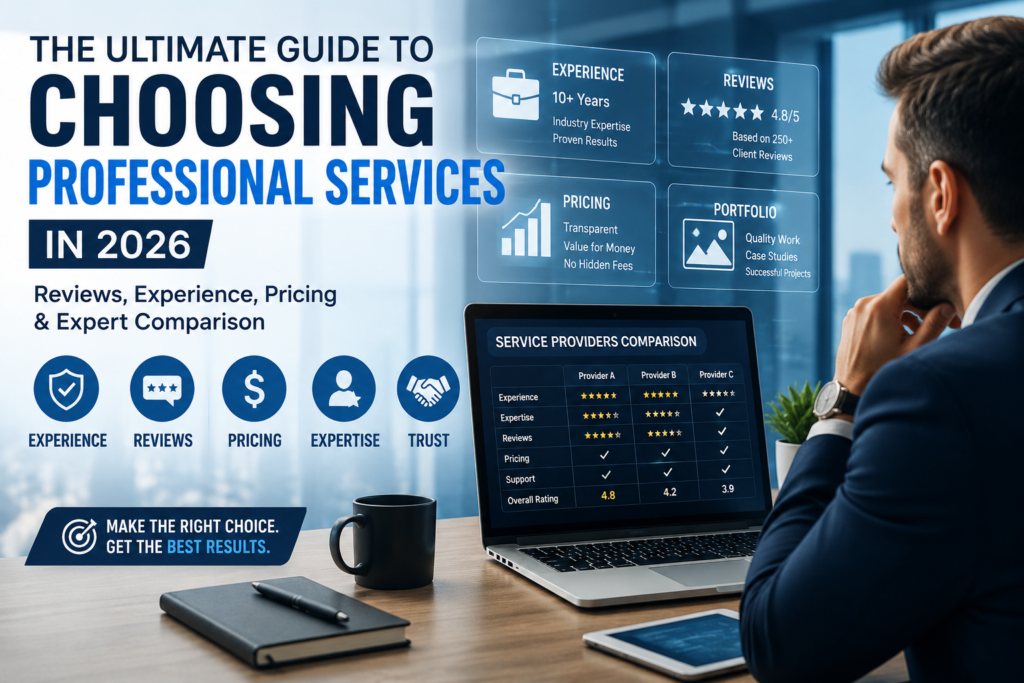
Choosing Professional Services

The Ultimate Guide to Choosing Professional Services in 2026: Reviews, Experience, Pricing & Expert Comparison

The professional services industry has changed dramatically over the Choosing Professional Services past few years. Businesses and individuals now have access to more service providers than ever before, ranging from independent freelancers and boutique agencies to large consulting firms and specialized experts. While having more choices can be beneficial, it also makes the selection process more challenging. In 2026, choosing professional services is no longer simply about finding someone who can perform a task. Clients are looking for partners who can deliver measurable results, demonstrate proven expertise, maintain transparent communication, and provide long-term value. Whether you are hiring a web developer, marketing agency, accountant, consultant, designer, lawyer, or business strategist, making the wrong choice can lead to wasted time, lost revenue, missed opportunities, and unnecessary frustration. Modern consumers are more informed than ever. They compare reviews, analyze portfolios, read case studies, check social proof, and evaluate pricing structures before making a decision. At the same time, artificial intelligence and digital transformation have raised expectations regarding efficiency, responsiveness, and service quality. This comprehensive guide explains everything you need to know about choosing professional services in 2026. You will learn how to evaluate providers, compare pricing models, identify red flags, assess experience and expertise, and select a trusted partner that aligns with your goals. What Are Professional Services? Choosing Professional Services Professional services are specialized services delivered by individuals or organizations that possess advanced knowledge, expertise, training, certifications, or experience within a specific field. Unlike physical products, professional services focus on solving problems, providing guidance, delivering specialized work, and helping clients achieve specific outcomes. Examples of professional services include: Digital marketing services Search engine optimization (SEO) Website design and development Business consulting Legal services Accounting and bookkeeping Financial advisory services Human resources consulting IT support and cybersecurity Architecture and engineering The value of professional services lies not only in completing a task but also in providing strategic insights, industry expertise, and reliable solutions that contribute to long-term success. Why Choosing the Right Professional Service Provider Matters Choosing Professional Services Selecting the right provider can have a significant impact on both short-term and long-term outcomes. The right decision often leads to higher efficiency, improved performance, stronger growth, and better returns on investment. On the other hand, hiring the wrong provider can result in poor communication, missed deadlines, budget overruns, low-quality work, and costly corrections. A professional service provider should be viewed as an investment rather than an expense. When you work with experienced professionals who understand your objectives, they become valuable partners in achieving your goals. Better Results Experienced providers have already solved similar challenges for previous clients. They understand industry best practices and can implement proven strategies rather than relying on trial and error. Lower Risk Qualified professionals help reduce operational, financial, and strategic risks. Their expertise allows them to identify potential issues before they become costly problems. Greater Efficiency Established providers have structured systems, workflows, and project management processes that help projects move smoothly and efficiently. Long-Term Growth Strong professional relationships often lead to ongoing collaboration, continuous improvement, and sustained business growth. Key Factors to Consider Before Hiring Professional Services Choosing Professional Services Choosing a provider requires careful evaluation across multiple areas. Relying solely on price or marketing claims is rarely enough. Experience Experience remains one of the strongest indicators of reliability and capability. Consider: Number of years in business Industry specialization Similar projects completed Long-term client relationships Historical performance A provider with a decade of successful experience has likely encountered and solved a wide variety of challenges. Expertise Expertise goes beyond years of experience. It refers to the depth of knowledge within a specific field. Look for: Professional certifications Industry recognition Specialized training Published thought leadership Technical competence A specialist often delivers better results than a generalist when dealing with complex projects. Portfolio Quality A portfolio demonstrates what a provider can actually achieve. Evaluate: Design quality Project complexity Industry relevance Results achieved Case studies provided Strong portfolios showcase both creativity and measurable outcomes. Reviews and Reputation Online reviews provide valuable insights into customer experiences. Check: Google Reviews Trustpilot LinkedIn recommendations Industry directories Independent review platforms Look for patterns rather than isolated positive or negative comments. Communication Communication quality often determines project success. Assess: “Free online pdf tools for converting, organizing, compressing, protecting and managing documents.”— pdfdownloader.online Response times Clarity Transparency Accessibility Problem-solving approach Providers who communicate effectively are more likely to deliver projects on time and within budget.

The Ultimate Guide to Choosing Professional Services in 2026: Reviews, Experience, Pricing & Expert Comparison Read Post »

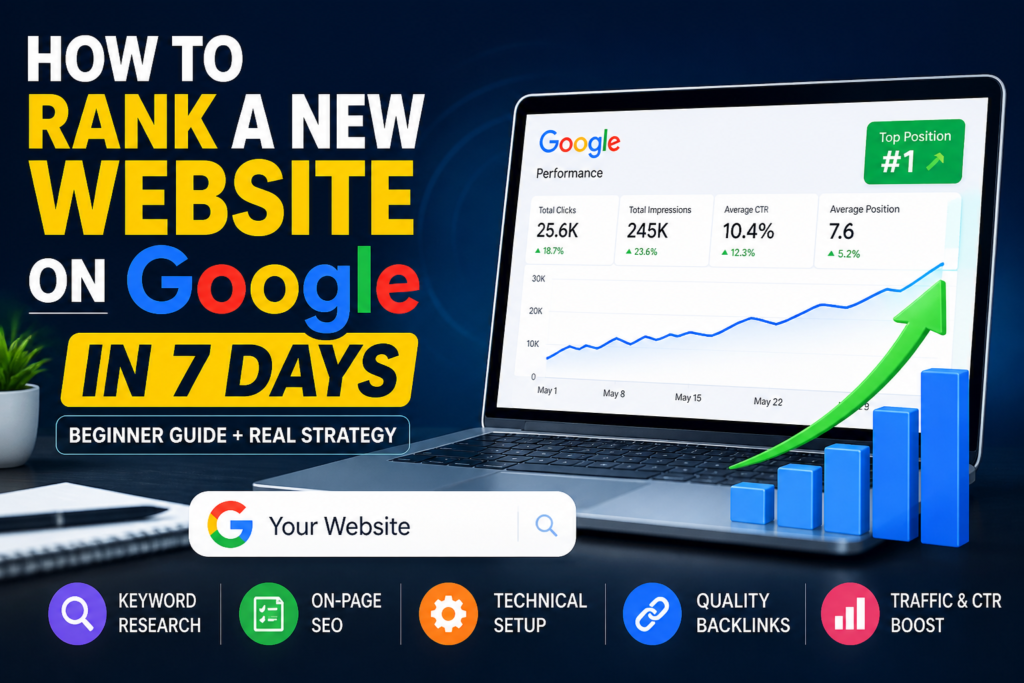
Google

How to Rank a New Website on Google in 7 Days (Beginner Guide + Real Strategy)

Publishing a new website is easy. Getting it to appear on Google—and google actually rank—is where most people get stuck. Many beginners assume that once a site goes live, traffic will follow. In reality, Google needs clear signals before it trusts and ranks a new domain. Without those signals, even great content can remain invisible. This guide presents a practical, original, and execution-focused approach to help you move a brand-new website from zero visibility to early traction within 7 days. The goal is not unrealistic promises like instant #1 rankings, but fast indexing, early impressions, and initial keyword positioning. If you follow this framework precisely, you will create a strong SEO foundation that continues to grow beyond the first week. What Happens When You Launch a New Website? Google Understanding how Google processes new websites is critical before trying to rank. 1. Discovery (Crawling) Search engines find your website through links, sitemaps, or direct submissions. 2. Storage (Indexing) Your pages are analyzed and stored in Google’s database. 3. Positioning (Ranking) Google evaluates relevance, quality, and authority to decide where your page appears. The “New Website Delay” (Sandbox Effect) Most new websites go through a temporary period where: Rankings are unstable or absent Trust signals are minimal Visibility is limited This is often called the sandbox effect. While you cannot completely eliminate it, you can reduce its impact by sending strong early signals. The 7-Day Execution Plan to Rank a New Website Google This is not theory. This is a structured, day-by-day system designed for beginners. Day 1: Keyword Research + Competitor Mapping Google Objective Identify keywords that are realistic to rank for within days—not months. Step 1: Choose Low-Competition Keywords Avoid broad, competitive keywords. Instead, target: Specific search phrases Problem-based queries Long-tail keywords Example: Instead of: “SEO tips” Use: “how to rank a new website on google in 7 days” Step 2: Analyze Search Results Search your target keyword and evaluate: Content depth Structure Weaknesses in existing articles Look for: Outdated information Poor formatting Missing steps Step 3: Define Search Intent Your content must satisfy three layers: Learning (basic understanding) Action (step-by-step guidance) Outcome (fast results) If your content misses any of these, it will struggle to rank. Day 2: On-Page SEO Setup Google On-page SEO ensures your content is understandable for both users and search engines. Core Elements to Optimize Title Tag Include your main keyword clearly and naturally. Meta Description Write a concise summary that encourages clicks. URL Structure Keep URLs short, readable, and keyword-focused. Headings Organize content using H1, H2, and H3 tags for clarity. Image Optimization Use descriptive alt text and compress images for faster loading. On-Page SEO Essentials Place the keyword in the introduction Maintain natural keyword usage (avoid stuffing) Ensure mobile responsiveness Improve page speed Day 3: Publish High-Quality Content Google Content is the primary driver of ranking. What “High-Quality” Actually Means Answers the user’s question completely Provides actionable steps Is easy to read and well-structured Recommended Content Framework Introduction (problem + promise) Explanation (concept clarity) Execution steps (detailed guide) Mistakes to avoid FAQs Content Depth Matters Short, shallow articles rarely rank. Aim for: 2000+ words Clear sections Practical insights Day 4: Indexing Your Website Quickly Google If your content is not indexed, it cannot rank. Steps to Ensure Fast Indexing Add your site to search console Submit your sitemap Request indexing manually Link your new page internally Additional Signals Share your article externally Update your sitemap after publishing Ensure no technical errors block crawling These actions increase the chances of faster discovery. Day 5: Internal Linking and Site Structure Google Internal linking helps search engines understand your content hierarchy. Benefits Faster crawling Better page relationships Improved user navigation Best Practices Link related articles together Use descriptive anchor text Keep navigation simple Example Structure Homepage → Blog → SEO Guide → Subtopics A clear structure improves both usability and indexing. Day 6: Smart Backlink Strategy Google Backlinks act as trust signals—but beginners often misuse them. Safe Approaches Create social media profiles linking to your site Submit to relevant directories Engage in niche communities What to Avoid Buying low-quality links Using automated tools Over-optimizing anchor text Can You Rank Without Backlinks? Yes, especially for low-competition keywords. Strong content and proper optimization can be enough in the early stage. Day 7: Traffic Signals and CTR Optimization Google At this stage, your goal is to show Google that users find your content valuable. Why Engagement Matters Google evaluates: Click-through rate Time spent on page Interaction levels How to Generate Initial Traffic Share your content on social platforms Send it to relevant groups Encourage early engagement Improve Click-Through Rate Use clear and compelling titles Include numbers or benefits Avoid vague wording Advanced Techniques to Accelerate Ranking Google Build Topical Depth Instead of publishing one article, create multiple related posts around the same topic. This builds authority over time. Strengthen Trust Signals Include: Practical experience Clear explanations Consistent publishing Update Content Regularly Refreshing content signals relevance. Update: Statistics Examples Sections that can be improved Common Mistakes to Avoid Many beginners slow their progress due to avoidable errors: Choosing highly competitive keywords Publishing incomplete content Ignoring indexing steps Focusing only on backlinks Neglecting mobile optimization Avoiding these mistakes alone can significantly improve your results. Essential Free Tools To execute this strategy effectively, use: Search performance tracking tools Website analytics tools Keyword research platforms These help you monitor progress and refine your strategy. Realistic Expectations Clarity is important. What You Can Achieve in 7 Days Your website gets indexed Your pages start appearing in search results You gain impressions for targeted keywords What Takes More Time High rankings for competitive terms Strong domain authority Consistent organic traffic Key Insight The first 7 days are about momentum, not dominance. If done correctly, this phase sets up long-term growth. Frequently Asked Questions Can a brand-new website rank in 7 days? It can gain visibility and rank for low-competition keywords, but top rankings usually take longer. What is the fastest way to get indexed? […]

How to Rank a New Website on Google in 7 Days (Beginner Guide + Real Strategy) Read Post »

Free Backlink Sites List 2026 (Instant Approval)

Free Backlink Sites List 2026 (Instant Approval)

Introduction Search engine optimization has evolved rapidly over the years, but one factor has remained consistently powerful—backlinks. In 2026, backlinks are still one of the strongest signals that search engines use to determine a website’s authority, trust, and Backlink Sites ranking potential. If you are looking for a free backlink sites list 2026 with instant approval, you are likely aiming to build backlinks quickly without spending money. This approach is especially useful for beginners, bloggers, and small businesses that want to improve rankings without investing in paid SEO campaigns. However, simply collecting links is no longer enough. Modern SEO requires a strategic approach. Search engines now evaluate the quality, relevance, and natural growth of backlinks rather than just the number of links. This guide is designed to give you: A structured high authority backlink sites list Clear understanding of backlink types Practical off-page SEO techniques Real-world insights based on testing and results A step-by-step system to create backlinks for free What Are Backlinks? (Beginner Section)Backlink Sites Backlinks are links from one website that point to another website. When a site links to your page, it signals to search engines that your content has value. Dofollow vs Nofollow Backlinks Understanding this difference is essential: Dofollow backlinks:These links transfer authority from one website to another and directly influence search rankings. Nofollow backlinks:These links do not pass authority in a direct way, but they still help improve visibility, traffic, and link diversity. Simple Example If a popular website mentions your blog and links to it, search engines see that as a positive signal. This increases your chances of ranking higher compared to a site with no backlinks. Why Backlinks Still Matter in 2026 Backlink Sites Even with advanced algorithms and AI-driven search systems, backlinks remain critical. 1. Trust and Credibility Search engines use backlinks to measure trust. Websites with links from reliable sources are considered more credible. 2. Better Indexing Backlinks help search engine bots discover new pages faster. Instant approval backlink sites are particularly useful for this purpose. 3. Competitive Ranking Factor In competitive niches, backlinks often make the difference between ranking on page one or being invisible. 4. Support for E-E-A-T Backlinks strengthen Experience, Expertise, Authority, and Trust signals, which are essential for ranking. Types of Free Backlink Sites (Comparison) Backlink Sites To build a strong backlink profile, you need to understand different types of link sources. Type Approval Authority Level Difficulty SEO Impact Profile Creation Sites Instant High Easy Moderate Social Bookmarking Sites Instant Medium Easy Moderate Blog Commenting Sites Instant Low Easy Low Directory Submission Sites Mixed Medium Medium Moderate Web 2.0 Sites Instant High Medium Strong Profile Creation Sites These platforms allow you to create an account and add your website link in your profile. They are easy to use and ideal for beginners. Social Bookmarking Sites These sites help share your content publicly, which can bring traffic and faster indexing. Blog Commenting Sites Although their SEO value is limited, they help create a natural backlink profile. Directory Submission Sites Useful for local SEO and business visibility. Web 2.0 Sites These are powerful platforms where you can publish content and create contextual backlinks. Free Backlink Sites List 2026 (Instant Approval) Backlink Sites Below is a curated list of instant approval backlink sites categorized for better usability. 🔹 Profile Creation Sites Site Authority Link Type Approval Medium High Nofollow Instant GitHub High Dofollow Instant LinkedIn Very High Nofollow Instant Pinterest High Nofollow Instant Quora High Nofollow Instant Behance High Nofollow Instant About.me High Dofollow Instant Crunchbase High Nofollow Instant Disqus High Nofollow Instant 🔹 Social Bookmarking Sites 2026 Site Authority Link Type Approval Reddit Very High Nofollow Instant Mix Medium Nofollow Instant Scoop.it High Nofollow Instant Slashdot High Nofollow Instant Diigo Medium Nofollow Instant Flipboard High Nofollow Instant 🔹 Web 2.0 Sites Site Authority Link Type Approval WordPress Very High Dofollow Instant Blogger Very High Dofollow Instant Wix High Dofollow Instant Weebly High Dofollow Instant Jimdo Medium Dofollow Instant 🔹 Directory Submission Sites (Free) Site Authority Link Type Approval Hotfrog Medium Nofollow Instant Justdial Medium Nofollow Instant Indiamart High Nofollow Instant Sulekha Medium Nofollow Instant 🔹 Blog Commenting Strategy Instead of focusing on random blogs, choose: Niche-relevant websites Active discussions Recent posts My Experience (Practical Insights) Backlink Sites After applying multiple backlink strategies, a few key insights stand out. First, creating backlinks blindly does not work. Many low-quality links have little to no impact on rankings. Second, high authority platforms consistently perform better. Profile links from trusted websites and content-based links from Web 2.0 sites show noticeable improvements. Third, backlink speed matters. Creating too many links in a short period can reduce effectiveness. From testing: Profile backlinks help establish initial trust Web 2.0 links contribute to ranking growth Social bookmarking helps in indexing A balanced approach always delivers better results than aggressive link building. Step-by-Step Guide (Beginner Friendly) Backlink Sites Step 1: Select Reliable Platforms Focus on high authority backlink sites instead of random directories. Step 2: Build Complete Profiles Fill all details properly, including bio, image, and website link. Step 3: Use Keywords Naturally Avoid stuffing keywords. Keep the language natural and readable. Step 4: Maintain Consistency Build backlinks regularly instead of all at once. Mistakes to Avoid Backlink Sites Many beginners make these common mistakes: Choosing low-quality or spam websites Repeating the same anchor text everywhere Ignoring link diversity Building backlinks too quickly Not checking site credibility Free vs Paid Backlinks (Comparison) Backlink Sites Factor Free Backlinks Paid Backlinks Cost No cost Expensive Control Limited Full control Quality Medium High Risk Lower Moderate Best Strategy to Rank Fast (2026) Backlink Sites To achieve strong results, combine multiple backlink methods: Profile creation links Web 2.0 content links Social sharing Internal linking Also focus on content quality because backlinks alone cannot sustain rankings. Advanced Link Building Strategies 2026 Backlink Sites Contextual linking within content Brand mention backlinks Content distribution Niche-specific link building Authority-based linking FAQs Backlink Sites Are free backlinks effective? Yes, when built correctly and from trusted […]

Free Backlink Sites List 2026 (Instant Approval) Read Post »

Google

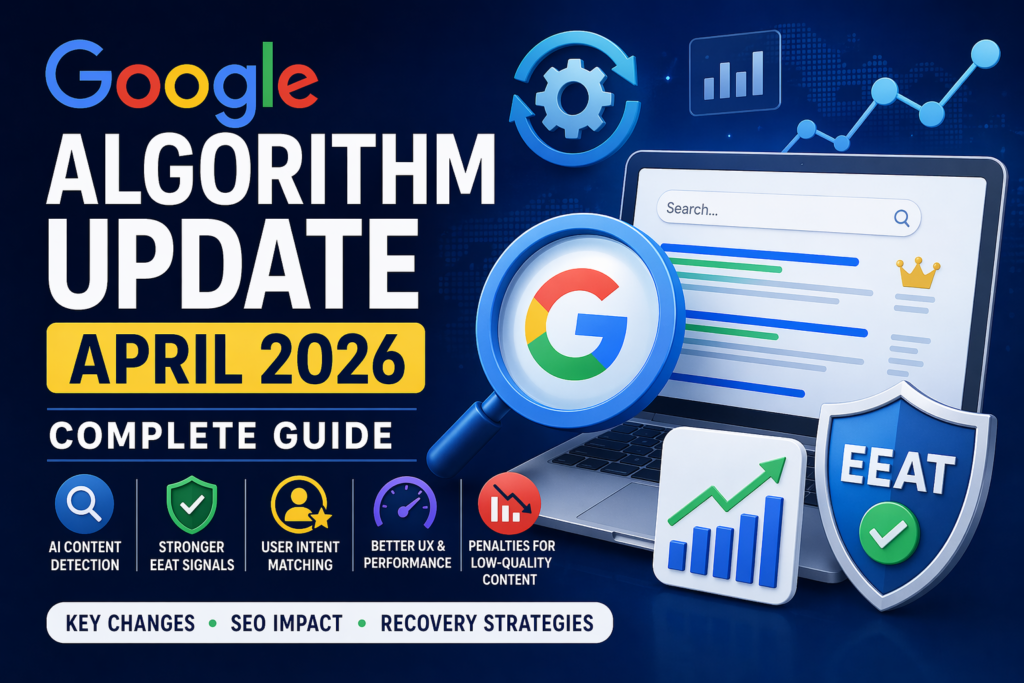
Latest Google Algorithm Update April 2026: What Changed?

 Introduction In April 2026, Google rolled out a major algorithm update that significantly reshaped the SEO landscape. This update is not just another incremental change—it represents a clear shift toward quality, credibility, and Google user-first content. Websites across multiple industries experienced noticeable fluctuations in rankings and traffic. Some saw dramatic drops, while others gained visibility almost overnight. The difference lies in content quality, real experience, and trust signals. 1. Latest Google Algorithm Update April 2026: Complete Guide Why This Update Matters This update is critical because it: Redefines ranking priorities Filters low-quality and AI-generated spam content Rewards authentic, experience-driven content Emphasizes user intent over keyword stuffing Who Is Affected the  Most? Bloggers relying on mass content production Affiliate websites with low-value reviews AI-generated content platforms Niche websites with thin or outdated content If your traffic has dropped recently, this guide will help you understand what changed and how to recover effectively. 2. What is a Google Algorithm Update? A Google algorithm is a complex system designed to retrieve data from its search index and deliver the most relevant results for a query. How Ranking Works When a user enters a search query: Google analyzes the query It determines user intent It scans indexed pages It ranks results based on relevance and quality Purpose of  Algorithm Updates Algorithm updates are designed to: Improve search accuracy Remove spam and manipulation Promote helpful, reliable content The April 2026 update reinforces one principle: content must provide real value rather than exist solely to rank. 3. April 2026 Google Algorithm Update – Key Changes 1. Advanced AI Content Google Detection Google has improved its ability to evaluate AI-generated content. Key point: AI content is allowed Low-quality AI content is filtered To rank successfully, content must include: Human editing Unique insights Practical relevance 2. Stronger EEAT Signals Google EEAT (Experience, Expertise, Authoritativeness, Trustworthiness) now plays a central role in rankings. Google evaluates: Whether the author has real experience Whether the content is accurate Whether the website is trustworthy Generic content without depth is losing visibility, while expert-driven content is gaining traction. 3. Penalties for Low-Quality Google Content The update targets: Thin content Duplicate pages Keyword stuffing Mass-produced articles Such content may lose rankings or be partially removed from search results. 4. Improved User Intent Matching Google Google has become more precise in understanding user intent. Types of intent: Informational Transactional Navigational Content that does not align with user intent is unlikely to rank well. 5. UX and Performance Google Signals User experience is now a critical ranking factor. Important elements: Page speed Mobile optimization Clear layout Engagement metrics Poor user experience can directly impact rankings. 4. Comparison: Before vs After Google Update Factor Before After April 2026 Content Quantity-focused Quality + Experience SEO Strategy Keyword-based Intent-based Backlinks Highly dominant Less dominant AI Content Easily ranked Strictly evaluated UX Secondary factor Core ranking factor 5. Who Got Affected Google Most? Low-Quality Bloggers Websites publishing shallow or repetitive content saw major declines. Affiliate Websites Sites with generic product reviews and no real usage experience lost visibility. AI Content Websites Bulk AI-generated content without human refinement was heavily impacted. Niche Websites Sites with low authority and limited depth struggled to maintain rankings. 6. Impact on SEO (Detailed Analysis) Google Reasons for Traffic Drops Weak content quality Lack of EEAT signals Poor engagement metrics Outdated SEO practices Ranking Changes High-authority websites gained visibility Trusted brands improved rankings Low-quality websites declined Niche-Specific Impact High-Risk Niches (YMYL)Health, finance, and legal sectors now require verified expertise and accurate information. Blogging IndustryCompetition has increased, and originality is more important than ever. 7. How to Recover from Google Update (Step-by-Step) Step 1: Perform a Content Audit Identify low-performing pages Analyze traffic and engagement data Step 2: Remove or Improve Thin Content Delete low-value pages Merge similar content Update outdated articles Step 3: Strengthen EEAT Add detailed author profiles Highlight expertise and credentials Improve content accuracy Step 4: Add Real Experience Enhance content using: Case studies Practical examples Data-backed insights Step 5: Improve Internal Linking Connect related pages Build a structured content hierarchy Step 6: Optimize User Experience Improve loading speed Ensure mobile responsiveness Simplify navigation 8. New SEO Strategy After April 2026 Update Google Human-First  Content Content should be useful, clear, and written for users rather than search engines. Build Topical  Authority Focus on a specific niche and create comprehensive, interconnected content. Intent-Based Optimization Understand why users search and align content accordingly. Focus on Originality Unique insights and perspectives are now essential for strong rankings. 9. Expert Tips (High Authority Section) Google Use AI tools for assistance, not full automation Prioritize value over volume Include credibility signals such as: About page Author bio Contact information Essential Trust Pages About Us Privacy Policy Terms and Conditions Contact Page These pages improve both user trust and SEO performance. Top ChatGPT Prompts for SEO in 2026 (Complete Guide + Real Use Cases)http://Top ChatGPT Prompts for SEO in 2026 (Complete Guide + Real Use Cases) Best Free AI Tools in 2026 (Updated Weekly List)https://digiwirex.com/best-free-ai-tools-in-2026-updated-weekly-list/ How to Create Google My Business Profile (Complete Guide 2026)https://digiwirex.com/how-to-create-google-my-business-profile-complete-guide-2026/ 10. Conclusion The April 2026 Google Algorithm Update highlights a clear direction for SEO. Success now depends on: High-quality content Real expertise Strong trust signals Short-term tactics are no longer effective. Sustainable growth requires a long-term approach focused on value and credibility. Future SEO Direction Hybrid AI and human content creation Experience-driven publishing Authority-based ranking systems Websites that adapt to these changes will build long-term visibility and stability in search rankings.

Latest Google Algorithm Update April 2026: What Changed? Read Post »

Top ChatGPT Prompts for SEO in 2026

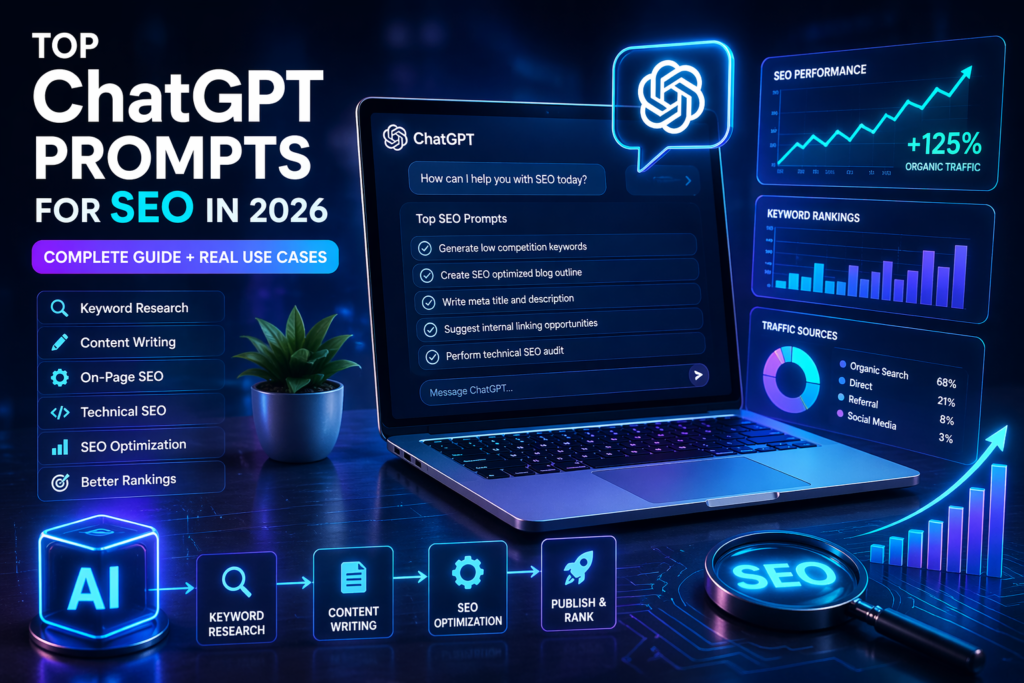
Top ChatGPT Prompts for SEO in 2026 (Complete Guide + Real Use Cases)

Introduction Search engine optimization is no longer limited to manual research and traditional content writing. In 2026, artificial intelligence has become a core part of SEO workflows, and Prompts for SEO  one of the most powerful tools driving this shift is ChatGPT. Instead of spending hours brainstorming keywords, structuring articles, or optimizing pages, marketers can now use AI-driven prompts to complete these tasks efficiently. However, the effectiveness of ChatGPT depends heavily on how you communicate with it. This is where well-structured prompts play a critical role. This guide is designed to help you understand how to use ChatGPT effectively for SEO. You will find practical prompts, real-world applications, and strategic insights that can help you improve your rankings and scale your content production. Top ChatGPT Prompts for SEO in 2026 A ChatGPT prompt is simply an instruction that tells the AI what kind of output you want. In SEO, prompts are used to guide the AI in performing tasks such as keyword research, blog writing, and optimization. Why Prompt for SEO Engineering Matters The quality of output depends on the clarity of the input. A vague instruction will produce generic content, while a detailed prompt will generate highly targeted results. Basic Prompt: Write an SEO article. Optimized Prompt: Write a 2000-word SEO article on “best AI tools for SEO in 2026” including headings, keyword placement, and a conclusion. The second version gives structure, intent, and direction, which leads to better results. Benefits of Using ChatGPT Prompts for SEO Faster Execution Tasks like keyword research and content writing can be completed in minutes instead of hours. Scalable Content Production You can create multiple blog posts and pages without increasing workload. Automation of Repetitive Tasks Meta descriptions, outlines, and internal linking suggestions can be generated instantly. Cost Efficiency You can reduce expenses related to content teams or outsourcing. Top ChatGPT Prompts for SEO This section provides practical, ready-to-use prompts along with their purpose and expected output. Generate 25 low-competition keywords related to “AI SEO tools 2026” with search intent. Use Case: Finding keywords that are easier to rank. Expected Output: A list of keywords categorized by informational, transactional, or navigational intent. Use Case: Planning content structure before writing. Content Writing Prompts for SEO Write a 2000-word SEO-optimized article on “how to use for SEO in 2026” in simple language with proper headings. Use Case: Generating full-length blog content. Analyze this content and suggest improvements for headings, keyword usage, and readability. Use Case: Optimizing content for better rankings. Write 5 SEO-friendly meta titles and descriptions for “best prompts for SEO” within character limits. Use Case: Improving click-through rates in search results. Internal Linking  Suggest relevant internal linking opportunities for this blog based on SEO structure. Use Case: Enhancing website navigation and SEO performance. Technical Prompts for SEO  Create a checklist for technical SEO audit including page speed, mobile optimization, and indexing. Use Case: Identifying technical issues affecting rankings. Real Use Case Example To understand the practical impact, consider this workflow: First, a set of low-competition keywords was generated using ChatGPT. Then, one keyword was selected to create a blog post using structured prompts. After writing, the content was optimized using on-page SEO suggestions. Within one month, the blog started receiving increased traffic and showed improvement in search rankings. This demonstrates how combining AI prompts with proper strategy can produce measurable results. ChatGPT vs Traditional SEO Factor ChatGPT SEO Traditional SEO Speed Fast Slow Cost Low High Scalability High Limited Accuracy Requires review More controlled ChatGPT improves efficiency, but traditional SEO expertise is still important for accuracy and strategy. Limitations of in Prompts for SEO Despite its advantages, has some limitations: It may not always provide up-to-date information Outputs can sometimes be generic Human review is necessary to ensure quality Using AI without editing can reduce content credibility, so always refine the output. Best Practices for Using in Prompts for SEO Write clear and detailed prompts Always edit and personalize the content Focus on user intent rather than just keywords Combine AI with professional SEO tools Maintain originality and quality Future of AI Prompts for SEO in 2026 AI will continue to shape the future of SEO in several ways: Increased automation in content creation More personalized search results Growth of voice search queries Smarter search engine algorithms Adapting to these changes will be essential for staying competitive. Best Free AI Tools in 2026 (Updated Weekly List)https://digiwirex.com/best-free-ai-tools-in-2026-updated-weekly-list/ How to Create Google My Business Profile (Complete Guide 2026)https://digiwirex.com/how-to-create-google-my-business-profile-complete-guide-2026/ Conclusion has become an essential tool for SEO in 2026. It simplifies complex processes, improves efficiency, and allows marketers to scale their efforts. However, success depends on how you use it. Well-crafted prompts, combined with human expertise, can significantly improve your SEO performance. Start implementing these strategies today to build a stronger and more effective SEO workflow.

Top ChatGPT Prompts for SEO in 2026 (Complete Guide + Real Use Cases) Read Post »

Free AI Tools

Best Free AI Tools in 2026 (Updated Weekly List)

Introduction Artificial Intelligence has moved far beyond hype. In 2026, it is a core productivity layer across industries—content creation, marketing, design, coding, and Best Free AI Tools in 2026 even decision-making. What’s changed most is accessibility: powerful AI capabilities are now available through free tools, allowing individuals and small businesses to compete with larger players. This guide delivers a curated, experience-based, and comparison-driven overview of the best free AI tools in 2026. Instead of listing tools blindly, the focus here is on real use cases, strengths, limitations, and when to use each tool. If you are searching for a free AI tools list 2026 that is practical, regularly updated, and aligned with real workflows—this resource is designed for you. Why Free AI Tools Matter in 2026 The rise of AI has created a clear divide: those who use it effectively and those who don’t. Free AI tools help close that gap by offering: Zero-cost entry into automation and content creation Time savings across repetitive tasks Scalability for freelancers and small teams Faster experimentation without financial risk Whether you are a beginner or an experienced professional, starting with free tools allows you to validate workflows before investing in paid solutions.  Best Free AI Tools in 2026 (Detailed List) AI Writing Tools ChatGPT Overview:A versatile AI assistant capable of generating text, solving problems, and assisting with research. Best For:Content writing, blogging, idea generation Key Capabilities: Long-form article creation SEO-friendly content drafts Brainstorming and outlining Advantages: Highly flexible across tasks Fast response generation Easy for beginners Limitations: Some advanced features restricted in free tier Use Case:A blogger can generate a complete article outline, expand sections, and refine tone—all within minutes. Copy.ai Overview:Focused on short-form marketing content such as ads and product descriptions. Best For:Marketing campaigns and sales copy Key Capabilities: Ad copy creation Email writing Product descriptions Advantages: Pre-built templates Fast execution Limitations: Usage limits in free version Use Case:An online store owner can quickly generate multiple ad variations for testing campaigns. Writesonic Overview:An AI writing tool optimized for SEO-focused content production. Best For:Blog posts and website content Key Capabilities: Article generation SEO optimization AI chat assistant Advantages: Structured content output Useful for ranking-focused writing Limitations: Free credits are limited Use Case:A content marketer can create optimized blog drafts aligned with target keywords. AI Image Generator Tools Leonardo AI Overview:A creative AI platform for generating high-quality visuals. Best For:Designers and content creators Key Capabilities: Text-to-image generation Style customization Advantages: Detailed image outputs Free credits available Limitations: Requires prompt experimentation Use Case:A YouTuber can create custom thumbnails tailored to their niche. DALL·E Overview:Transforms written prompts into visual content. Best For:Creative and conceptual images Key Capabilities: Artistic rendering Prompt-based image creation Advantages: High creativity level Limitations: Limited free access Use Case:A blogger can generate unique visuals that match specific article themes. Canva Overview:A beginner-friendly design platform enhanced with AI tools. Best For:Social media content and presentations Key Capabilities: Drag-and-drop editor AI-assisted design Templates Advantages: Extremely easy to use Large asset library Limitations: Some assets require payment Use Case:A small business can design professional posts without hiring a designer. AI Video Tools Pictory Overview:Converts scripts or text into video content. Best For:Content automation and video creation Key Capabilities: Script-to-video Subtitle automation Advantages: Fast production Limitations: Export limits in free version Use Case:A creator can produce faceless videos for YouTube channels efficiently. Runway ML Overview:An advanced AI-driven video editing platform. Best For:Professional creators Key Capabilities: AI editing tools Visual effects Advantages: Powerful capabilities Limitations: Learning curve for beginners Use Case:A video editor can enhance footage with AI-powered effects. AI SEO & Marketing Tools Surfer SEO Overview:Helps optimize content for search engine rankings. Best For:SEO-focused writing Key Capabilities: Keyword analysis Content scoring Use Case:Writers refine articles to improve ranking potential. Ubersuggest Overview:A beginner-friendly SEO and keyword research tool. Best For:Keyword discovery Key Capabilities: Keyword suggestions Traffic analysis Use Case:Bloggers identify low-competition keywords. AI Productivity Tools Notion AI Overview:A productivity workspace with AI integration. Best For:Task and knowledge management Key Capabilities: Notes AI writing Workflow organization Grammarly Overview:Enhances writing quality through grammar and tone suggestions. Best For:Professional communication Key Capabilities: Grammar correction Style improvement Comparison Table Tool Best Use Free Plan Ease of Use Efficiency ChatGPT Writing Yes Easy High Canva Design Yes Easy High Runway ML Video Limited Medium High Practical Experience and Insights From real-world usage, the effectiveness of AI tools depends on how they are combined rather than used individually. Fastest Output: ChatGPT delivers instant results across multiple domains Best for Visual Content: Canva simplifies design without technical skills Strongest SEO Support: Ubersuggest combined with Surfer SEO improves ranking outcomes A highly efficient workflow for content creators is:ChatGPT (content) + Canva (design) + SEO tool (optimization) This combination covers creation, presentation, and discoverability. Best AI Tools by Use Case For Bloggers ChatGPT Writesonic Surfer SEO For Students Notion AI Grammarly For Business Owners Copy.ai Ubersuggest For Freelancers Canva Leonardo AI How to Choose the Right AI Tool Selecting the right tool requires a clear understanding of your needs: 1. Define the ObjectiveAre you creating content, designing visuals, or automating tasks? 2. Evaluate UsabilityChoose tools that match your skill level 3. Consider ScalabilityEnsure the tool can grow with your workflow Weekly Updated AI Tools List Strategy To stay competitive, updating your AI tools list regularly is critical. Search engines prioritize fresh content, especially in fast-moving industries like AI. Adding new tools weekly or refining existing sections can significantly improve rankings and engagement. How to Create Google My Business Profile (Complete Guide 2026)https://digiwirex.com/how-to-create-google-my-business-profile-complete-guide-2026/ how to Set Up Shopify Account in 2026 (Complete Step-by-Step Beginner Guide)https://digiwirex.com/how-to-set-up-shopify-account-in-2026-complete-step-by-step-beginner-guide/ Conclusion AI tools in 2026 are no longer optional—they are essential for efficiency and growth. Free AI tools provide an accessible entry point, allowing anyone to leverage automation and creativity without financial barriers. By selecting the right combination of tools and applying them strategically, you can significantly improve productivity, reduce workload, and scale your output. Start with a few core tools, experiment with workflows, and continuously adapt. The advantage lies not just in […]

Best Free AI Tools in 2026 (Updated Weekly List) Read Post »

Google My Business profile

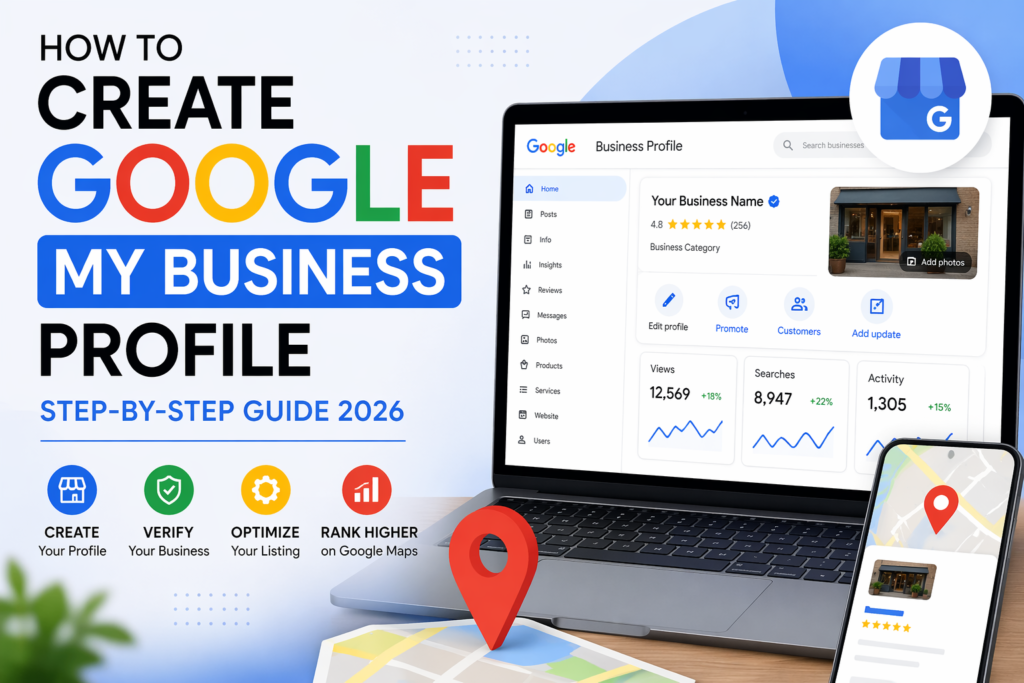
How to Create Google My Business Profile (Complete Guide 2026)

In the modern digital landscape, every local business needs strong visibility on Google. Whether you run a shop, service business, or online agency, your presence on Google Search and  Google My Business Profile Google Maps plays a major role in getting customers. One of the most effective and free tools for this is Google Business Profile, earlier known as Google My Business. It helps your business appear in local search results when people look for services near them. This guide will help you understand how to create Google My Business profile step by step, how verification works, and how to optimize your listing for better rankings and more customer inquiries. What is Google my Business Profile Google Business Profile is a free platform by Google that allows business owners to manage how their business appears on Google Search and Google Maps. Whenever someone searches for services like “electrician near me” or “website development company in Delhi,” Google shows a map listing with top local businesses. These results come from Google Business Profiles. It acts as your online business identity and helps customers find important details such as location, contact information, reviews, and services. Importance of Google Business Profile for Local SEO Local SEO focuses on improving visibility in location-based searches. Google Business Profile is one of the most important ranking factors for local search results. Key advantages Better online visibility Your business appears when users search for related services in your area. More customer inquiries A well-optimized listing can generate direct calls, messages, and visits. Builds trust Customer reviews and ratings help build strong credibility. Free promotion You do not need paid ads to start gaining visibility. Higher conversion rate Local search traffic is highly targeted and ready to take action. How to Create Google My Business Profile Step by Step Below is the complete process to create your business listing correctly. Step 1: Sign in to Google Account Start by logging into your Google account. It is better to use a professional email linked to your business. Step 2: Enter Business Name Type your exact business name. Important rule: Do not add extra keywords or marketing phrases in the name. Google may reject or suspend your profile. Step 3: Select Business Category Choose a category that best describes your business. For example: Digital Marketing Agency Restaurant Plumbing Service Web Development Company This step is very important for ranking in relevant searches. Step 4: Add Business Location If you have a physical office or shop, enter your address so your business appears on Google Maps. If you provide services at customer locations, you can choose service areas instead of showing a physical address. Step 5: Add Contact Information Include: Phone number Website link This helps customers contact you directly and improves trust. Step 6: Add Services List all services your business offers. Example: Website Development SEO Services Google Ads Management Social Media Marketing Clear service listing helps Google understand your business better. Step 7: Set Working Hours Add accurate working hours so customers know when your business is available. Incorrect timings may lead to poor customer experience. Step 8: Complete Verification Verification is required before your listing becomes active. How to Verify Google Business Profile Google uses verification to confirm that the business is real and active. Verification methods Postcard verification Google sends a physical postcard with a code to your business address. Phone verification Some businesses receive a verification code via call or SMS. Email verification Selected businesses can verify through email. Instant verification If your website is already verified with Google Search Console, you may get instant approval. Note: Do not change your business details during verification. How to Optimize Google Business Profile for Better Ranking Creating a profile is only the first step. Optimization is required to rank higher on Google Maps. Write a strong business description Add a clear and natural description that includes your services and location. Example: We provide professional website development and digital marketing services helping businesses grow online and generate more leads. Add high-quality images Upload images such as: Office photos Team pictures Work samples Service-related images This improves engagement and trust. Focus on customer reviews Reviews play a major role in ranking and trust. Encourage satisfied customers to leave feedback and respond to every review professionally. Keep posting updates Regular posts about: Services Offers Projects Updates help improve visibility and engagement. Maintain consistent information Your Name, Address, and Phone number should be identical across all platforms. This consistency improves local SEO strength. Common Mistakes to Avoid Many businesses fail to rank because of simple mistakes: Using incorrect business category Adding keywords in business name Leaving profile incomplete Ignoring customer reviews Inconsistent contact information Not updating business posts Avoiding these mistakes improves ranking performance significantly. Optimized vs Non-Optimized Profile Feature Basic Profile Optimized Profile Visibility Low High Customer Calls Rare Frequent Google Ranking Weak Strong Trust Level Low High Lead Generation Poor Consistent How to Rank Higher on Google Maps To achieve top rankings, follow these proven strategies: Get more reviews Positive reviews improve ranking and trust. Build local citations List your business on platforms like: Business directories Local listing websites Industry platforms Use relevant keywords Include keywords naturally in description and services. Increase engagement Google tracks: Clicks Calls Direction requests Stay active Regular updates help maintain ranking stability. Advanced Optimization Tips Add geo-tagged images Helps Google understand location relevance. Post weekly updates Keeps your profile active and fresh. Use Q&A section Add common questions and answers to improve relevance. Expand service areas Target nearby locations for more reach. Real Insight from Experience Many businesses assume that creating a profile is enough. However, that is only the beginning. Without optimization: Your profile will remain invisible Competitors will dominate search results You will receive very few leads With proper optimization: You can appear in top local results You can generate daily inquiries You can build strong online authority Frequently Asked Questions Is Google Business Profile free? Yes, it is completely free. How […]

How to Create Google My Business Profile (Complete Guide 2026) Read Post »

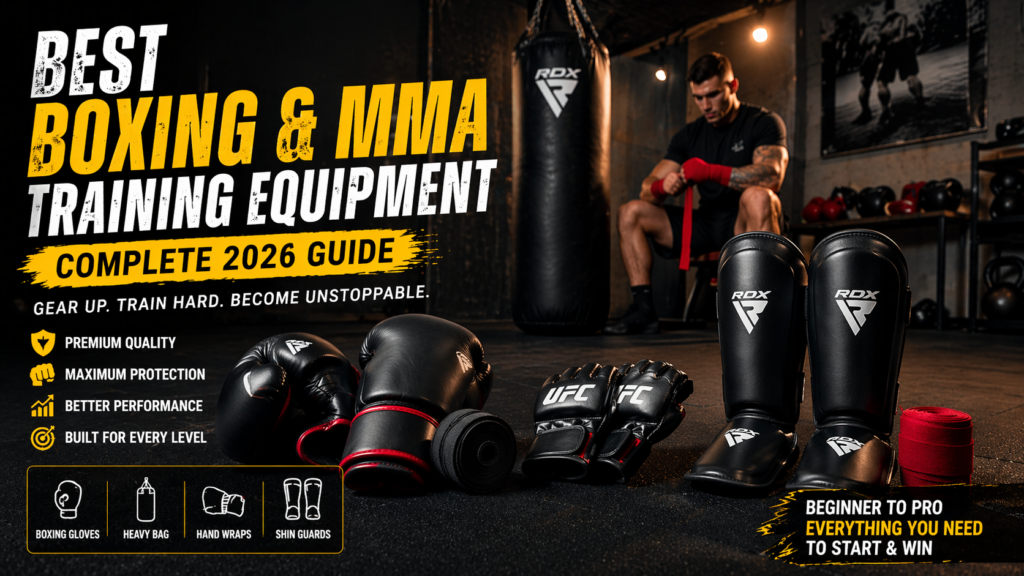
boxing and mma

Best Boxing and MMA Training Equipment (Complete 2026 Guide)

Combat sports have become one of the most effective ways to build strength, endurance, and Boxing and MMA discipline. Boxing and mixed martial arts (MMA) are no longer limited to professional fighters; they are now widely used for fitness, self-defense, and mental conditioning. However, the quality of your training depends heavily on the equipment you use. This comprehensive guide explains the best boxing and MMA training equipment, including detailed comparisons, buying advice, and practical recommendations for beginners and advanced users. The goal is to help you choose the right tools without wasting money or risking injury. Best Boxing and MMA Training Equipment in India (Budget Guide)boxing training equipment Many beginners focus only on workouts and ignore the importance of proper equipment. This approach often leads to slow progress or injuries. Using the right gear provides several advantages: Protects your hands, wrists, and legs from injury Improves technique and control Increases training efficiency Supports long-term consistency A well-planned setup ensures that your training remains safe and effective. MMA Gloves vs Boxing Gloves – Which Training Equipment is Better MMA gear list Before selecting specific products, it is important to understand the essential equipment required for both boxing and MMA training. Basic Equipment List Boxing gloves Punching bag Hand wraps Mouth guard Shin guards (for MMA) These items form the foundation of any training routine. Best Boxing Training Equipment boxing gear for beginners 1. Boxing Gloves Boxing gloves are the most critical piece of equipment. They protect your hands while allowing you to train effectively. Types of Boxing Gloves Training gloves: suitable for general workouts Sparring gloves: designed with extra padding for partner training Bag gloves: lightweight and used specifically for punching bags How to Choose the Right Size Gloves are measured in ounces (oz): 10–12 oz: light training 14 oz: ideal for beginners 16 oz: recommended for sparring For most beginners, 14 oz gloves provide a balance between protection and usability. 2. Punching Bag boxing gear for beginners A punching bag is essential for building power, endurance, and technique. Types of Punching Bags Heavy bag: used for strength and full-body workouts Speed bag: improves timing, rhythm, and coordination Heavy Bag vs Speed Bag A heavy bag is more suitable for beginners because it allows you to practice basic punches and combinations. A speed bag is better for advanced users who want to improve reflexes and timing. For home use, a medium-weight heavy bag is usually the best choice. 3. Hand Wraps boxing training equipment Hand wraps are often overlooked, but they are essential for injury prevention. Benefits of Hand Wraps Support wrist alignment Protect knuckles Reduce impact stress Training without hand wraps increases the risk of long-term damage, especially for beginners. Best MMA Training Tools MMA training involves multiple disciplines, so it requires more equipment than boxing. 1. MMA Gloves MMA gloves are designed with open fingers to allow both striking and grappling. Key Features Lightweight construction Flexible design Less padding compared to boxing gloves 2. Shin Guards boxing training equipment Shin guards are essential for practicing kicks safely. Importance Protects shin bones during impact Reduces injury risk during sparring 3. Grappling Dummy A grappling dummy is useful for practicing ground techniques without a partner. Benefits Allows solo training Helps improve submission techniques Suitable for home workouts 4. Headgear Headgear is recommended for beginners during sparring sessions. Purpose Protects the head from impact Reduces the risk of cuts and bruises Boxing vs MMA Equipment (Detailed Comparison) Understanding the differences between boxing and MMA equipment helps you choose the right training approach. Feature Boxing MMA Focus Punching Full-body combat Gloves Thick padding Open-finger design Equipment Basic More extensive Complexity Lower Higher Key Differences Boxing focuses primarily on punches, so the equipment is simpler and more specialized. MMA involves striking, grappling, and ground fighting, which requires a wider range of gear. If you prefer a straightforward training system, boxing is a good choice. If you want a more complete combat approach, MMA is more suitable. Budget Guide for Boxing Equipment in India Your budget will determine the quality and range of equipment you can purchase. Beginner Setup (₹5,000 – ₹10,000) Basic boxing gloves Hand wraps Entry-level punching bag This setup is suitable for beginners starting at home. Intermediate Setup (₹10,000 – ₹25,000) Higher-quality gloves Heavy bag and speed bag Basic MMA gear such as shin guards This level is ideal for regular training. Professional Setup (₹25,000 and above) Premium gloves and protective gear Full MMA equipment Dedicated home training area This setup is suitable for advanced users or serious athletes. Home Gym Setup for Boxing and MMA You do not need a large space to build an effective training area. Essential Equipment Boxing gloves Heavy bag Hand wraps Optional Equipment Speed bag Skipping rope Resistance bands Space Optimization Tips Use wall-mounted equipment Keep the setup minimal Focus on functionality rather than quantity Expert Tips for Better Training Choose Equipment Based on Training Goals Do not buy equipment just because it is popular. Select tools that match your training style. Focus on Protection Always prioritize safety gear such as hand wraps and proper gloves. Start with Basics It is better to begin with essential equipment and upgrade later. Maintain Consistency Regular training is more important than expensive equipment. Learn Proper Technique Using equipment incorrectly reduces its effectiveness and increases injury risk. Common Mistakes to Avoid Buying Low-Quality Gear Cheap equipment often lacks durability and protection. Skipping Hand Wraps This increases the risk of wrist and knuckle injuries. Choosing the Wrong Punching Bag A bag that is too heavy or too light can affect your training. Ignoring Proper Fit Incorrect glove size leads to discomfort and reduced performance. Spending Too Much Too Early Beginners should avoid investing heavily before gaining experience. Boxing vs MMA Equipment Difference (In-Depth Insight) Boxing equipment is minimal and focused on striking with the hands. MMA equipment is more diverse because it supports multiple fighting techniques. Boxing Equipment Characteristics Simple and focused Lower initial investment Easier to manage for beginners […]

Best Boxing and MMA Training Equipment (Complete 2026 Guide) Read Post »

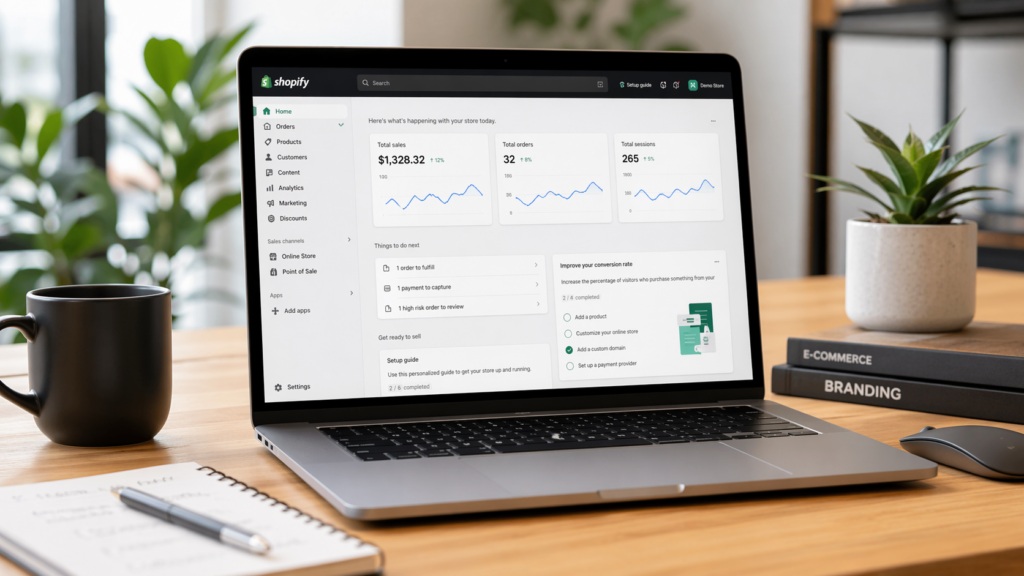
how to Set Up Shopify Account

how to Set Up Shopify Account in 2026 (Complete Step-by-Step Beginner Guide)

1. Introduction – Why Shopify is the Best Platform to Start an Online Store The ecommerce industry is growing rapidly, and how to Set Up Shopify Account more people are moving toward online businesses. Whether you want to sell physical products, digital goods, or start a dropshipping business, choosing the right platform is critical. One platform that consistently stands out is Shopify.https://www.shopify.com/in/store-login Shopify is designed to simplify the process of launching and managing an online store. Unlike traditional website development, where you need technical skills, Shopify allows you to build a fully functional ecommerce store without writing a single line of code. What makes Shopify powerful is its all-in-one approach. It provides hosting, design tools, payment integration, and marketing features in one place. This reduces complexity and allows beginners to focus on business rather than technical setup. In this guide, you will learn exactly how to set up Shopify account in 2026, including real-world insights, costs, and strategies to avoid beginner mistakes. 2. Things You Must Prepare Before Creating a Shopify Account Before jumping into account creation, it is important to build a basic foundation. Most beginners skip this step and face problems later. Clear Product Idea The success of your ecommerce store depends heavily on what you sell. Instead of choosing random products, focus on: Solving a problem Following market trends Selecting products with demand For example, instead of selling general items, you can focus on a niche like fitness accessories or skincare products. Understanding Your Target Audience You should clearly know who your customers are: Age group Gender Interests Buying behavior When you understand your audience, it becomes easier to design your store and create marketing strategies. Basic Branding Elements Even at the beginner stage, you should think about branding: Store name Logo Color theme A strong brand creates trust and improves conversions. Email and Contact Information You will need an active email address to manage your store. It is recommended to use a business email for professionalism. 3. Step-by-Step Process to Set Up Shopify Account Now let’s go through the complete process of creating your Shopify account. Step 1: Start Free Trial Go to the official Shopify website and click on the free trial option. This allows you to explore the platform without paying immediately. Step 2: Enter Your Details You will be asked to provide: Email address Password Store name Your store name will also be used to create your default Shopify URL. Step 3: Business Information Setup Shopify will ask a few questions about your business: Are you already selling? What type of products do you plan to sell? If you are new, you can select beginner options. This helps Shopify customize your dashboard. Step 4: Access Your Store Dashboard Once your account is created, you will enter the Shopify dashboard. This is where you manage everything related to your business. The dashboard includes: Product management Order tracking Customer data Analytics Store settings Spend some time exploring this area, as it will be your primary workspace. 4. Shopify Pricing in India – Complete Breakdown Understanding the cost structure is important before fully committing. Monthly Subscription Plans Basic Plan: Suitable for beginners Shopify Plan: For growing businesses Advanced Plan: For large-scale operations Each plan offers different features, such as reporting, staff accounts, and shipping discounts. Additional Costs You Should Know Apart from subscription fees, there are other expenses: Domain purchase Premium themes Paid apps Marketing budget In most cases, beginners can start with a low budget and scale gradually. 5. Complete Shopify Store Setup Guide Creating an account is just the first step. Now you need to build your store properly. Choosing the Right Theme Your store design plays a major role in user experience. Shopify provides free and paid themes. For beginners, starting with a free theme is a practical choice. Focus on: Clean layout Fast loading speed Mobile responsiveness Adding Products to Your Store Your product page should not just display items; it should convince customers to buy. Include: Clear product titles Detailed descriptions High-quality images Pricing and variants Instead of writing generic descriptions, explain how the product benefits the customer. Setting Up Payment Methods To receive payments, you need to integrate payment gateways. Common options include: Razorpay PayU Stripe Make sure your checkout process is smooth and secure. Offering multiple payment options increases conversion rates. Shipping Configuration Shipping settings determine how you deliver products to customers. You can choose: Free shipping Fixed rate shipping Location-based pricing Many successful stores use free shipping as a marketing strategy. Connecting a Custom Domain A custom domain makes your store look professional and trustworthy. Instead of using a default Shopify URL, use your own branded domain. Creating Essential Pages Every ecommerce store must include: About page Contact page Privacy policy Return policy These pages build trust and improve credibility. 6. Real Experience – What Beginners Actually Face Many guides only show the technical steps, but real experience tells a different story. Initial Challenges Most beginners face these issues: Confusion in choosing the right product Difficulty in understanding marketing Low initial traffic These challenges are normal and part of the learning process. Time Investment Setting up a store is quick, but building a successful business takes time. Store setup: 1–2 days Learning phase: 1–2 weeks First sales: depends on marketing Reality of Ecommerce Shopify makes store creation easy, but success depends on: Product selection Marketing strategy Customer experience Without these elements, even a well-designed store will not perform well. 7. Shopify vs Other Ecommerce Platforms Choosing the right platform is important, so let’s compare Shopify with alternatives. Shopify vs WooCommerce WooCommerce is a flexible solution built on WordPress. Shopify is easier to use WooCommerce offers more customization Shopify includes hosting WooCommerce requires technical setup For beginners, Shopify is more convenient. Shopify vs Wix Wix is another website builder with ecommerce features. Shopify is focused on ecommerce Wix is better for simple websites Shopify offers advanced selling tools For serious online businesses, Shopify is the better option. 8. […]

how to Set Up Shopify Account in 2026 (Complete Step-by-Step Beginner Guide) Read Post »

Scroll to Top